Friday, December 14, 2007

Thursday, December 06, 2007

Interesting things of the week #23

Christmas Price Index - fascinating. Site also has games:

Politically Correct Christmas Wishes


How Many Hours Are In Your Day?
I wish I had that much free time. I have about half an hour per weekday. Wow - what shall I do with it?

Genfavicon
Really handy Favicon generator - also generates larger icons. Found via Lo-fi Librarian

Data, Capta, Information & Knowledge

Karen Blakeman's presentations on
Tricks and Tips for Better Web Search
Searching without Google

6 Quick Ways to JAZZ-UP your Photos

Friday, November 30, 2007

Interesting Things of the Week #22

New York Times 2007 Notable Books

Annoying Co-workers

WOWIO free and legal copyrighted books to download - but only for the US :-(

LibriVox - free audiobooks

99 Resources for Web 2.0 Design

TheFreeLibrary.com - a start page which gives you access to articles and books

Friday, November 23, 2007

Interesting things of the week #21

Feeddemon to introduce the panic button - sounds like a good idea to me.

Librarian: 'Just say no to Wikipedia' - rather a knee-jerk reaction. I agree with Jen’s post Balance in everything: Wikipedia v the librarian - it is a useful starting point for more in-depth research.

The ultimate guide to advanced searching within Yahoo, Google and MSN operators

Voyage feed reader - pretty, but not brilliantly useful…

Dezignus.com - free stuff for web design

Youconvertit - online file converter, also lets you convert measurements etc - handy!

Sausagenet - Cult & Classic TV programmes database - mostly kids stuff. like Adventure Game, Belle & Sebastian, Earthfasts, Moomins, Round the Twist, Watt on Earth, but also some more adult stuff - Red Dwarf, Time Tunnel, and so many things I used to watch.

Friday, November 09, 2007

Interesting Things of the Week #19

Guess the Google game

Bookish christmas cards - Kimbooktu
- only 45 days to go.

Law 2.0 is not just a name - Law Society Gazette

Free Rice - a word game that donates rice to help end poverty

UK chooses 'most ludicrous laws' - BBC News website

Free Documentaries

Monday, October 29, 2007

Interesting Things of the Week #17

This didn't get posted on Friday due partly to my computer crashing, and partly to me being really busy.

Chocolate bar generator via the generator blog

Wikis, On pretending to give a shit that they exist via A librarian's guide to etiquette

LexisNexis Coffee Break Training sessions apparently help you to "Supercharge your legal research”.

Web X

Library Games

Ask Oxford Ask the Experts a database of some of the questions sent in to the Oxford Word and Language Service team. Found via Library Web

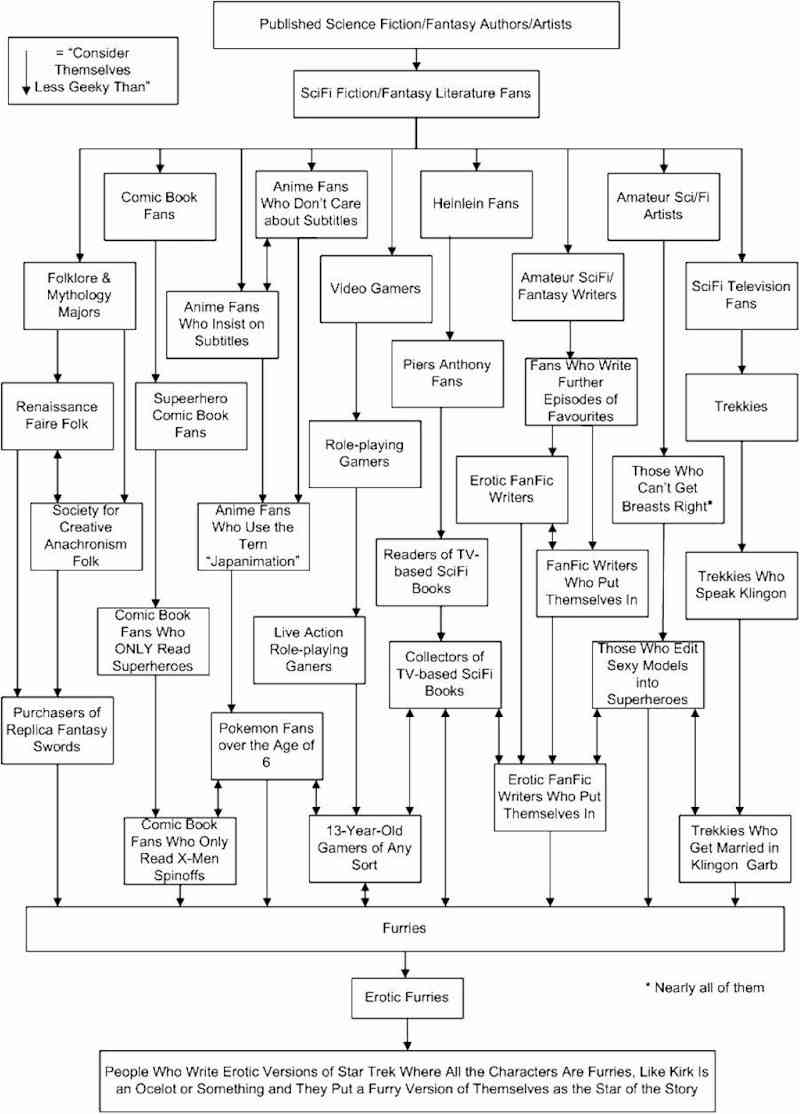
She'sGeeky

Ig Nobels via World Almanac

Tuesday, October 16, 2007

Evil Genius

Today’s Dilbert really made me smile, and reminded me of one of those e-mails that did the rounds years back, “If I were an evil overlord…”.
So I went looking online and found a whole site devoted to “If I were …” lists - EvilRulers.com. The original one I was thinking of is more like what’s at EvilOverlord.com. There’s even a Squidoo page on A quick guide to becoming an Evil Genius. Should we be worried so many people want to be evil and/or rule the world?

Monday, October 15, 2007

Environment

Today is Blog Action Day, and so I thought I’d write something about the environment. Turns out, that’s harder than it sounds. I couldn’t think of anything to say that hasn’t been said so many times before (and by people more learned and eloquent than I am). Except about light-bulbs - but that’s a whole other rant, and probably not quite in the spirit of the day.

So I thought I’d just think about what I do:
At home I recycle all the stuff the council folks come and collect - glass bottles/jars, plastic bottles (but no other plastic of any kind), newspapers, and tins. I also recycle cardboard and foil - but they have to be taken in the car to one of the recycling places in town, so the good is probably reduced by all those fuel emissions. At work, we recycle paper (which is a good thing considering the reams of it we get through each day - so many things printed out for no good reason), laminated paper (I had to check we could do this - the information on what we can and cannot recycle is not brilliant), old CDs, plastic, cans and cardboard.
Other than recycling, I don’t do a lot. At home, I try to remember to turn lights off when I leave a room, turn taps off etc. I tend to leave my computer on, leave the tv on standby (because, you know, getting up to turn it on and off wastes my own personal energy - I’m so lazy), and of course I use those old-fashioned supposedly “non-energy efficient” light-bulbs. At work, there is air conditioning (not something I can control - or I’d turn the darned thing off - freezing to death in the middle of summer is not my idea of fun), and various other wastes of energy going on. There are good things. Apparently the kitchen waste is composted. The toilets have strange flushes which I think are supposed to be water saving. These work really well - a whole lot of people seem to not know how to work them, so just don’t flush at all *eww*. I tend to leave my computer on at work - mainly because when I started, IT told me to, and I just got into the habit. It’s one I plan to break soon though.
Anyway, after reading Annoyed Librarian - Save the Environment the Annoyed Librarian Way, and Enquiring Minds Want to Know - The environment and the library I feel like I should be doing more. Obviously drinking wine sounds like an ideal way to start - but then I think of all those food miles… So I’m going to go and look at these links, and see what else I can do:
Recycle Now
Recycling Guide
Need2Know Environment Tips
Get Recycling
Saving Planet Earth

Friday, October 05, 2007

Interesting things of the week #14

Google 1407

Brain Games (Prevention.com) via MrLibrarian.com

How Well Does Google Translator Cope With Idioms? From Google Blogoscoped

What Happened To The Personal Web Site via BiblioTechWeb

Two from Phil Bradley’s I Want To - Clutterme and Disposable Web Page

Feedbooks via Librarian in Black

Shelf Check’s 100th strip

Real life plot twists of famous authors vis LisNews

LawBore redesign

Plus - The New York Times has moved to free content, the Financial Times avoids fully free, but offers 30 day access*- and it looks like the Wall Street Journal may go free too. With the Guardian, Independent, Telegraph and the Times already wholly or partly available for free, it may mean current awareness can, in the not too distant future, be done via RSS feeds, or Google News searches (or both), ending our dependency on certain paid-for services!

*not quite sure what impact this will have on the FT's embargo on Lexis.

Tuesday, October 02, 2007

Blog Birthday

My blog is one year old today.
Over the past year I have written 70 posts, which thinking about it doesn’t seem like very many.

So here’s to another year of blogging.

Friday, September 28, 2007

Interesting things of the week #13

Reading the Mind - Britannica Blog

A-Z Indexes on Intranets from Intranet Benchmarking Forum - interesting, as I’m trying to redo one.

The National Archives wins award for digital preservation

Blues Name Generator via the Generator blog. Hours of fun.

Clever Uses For Dental Floss: Beyond Teeth

20 Icon & Graphics Generators - via Lo-Fi Librarian

Anonymity/Pseudonymity

Having read Meredith’s and the Annoyed Librarian’s recent posts regarding anonymity/pseudonymity I gave the issue some more thought. (This post started off as a comment on Meredith’s blog, but got a bit long and waffly).

I blog under a pseudonym (no, really!). When I started my blog, it just never occurred to me to use my real name. I spent about three minutes coming up with my pseudonym (Law Librarian was taken, so Lore Librarian it became - possibly helped along by my having recently watched a certain episode of Star Trek: TNG). I started the blog as a bit of an experiment, to try it out, see whether it was something I would find useful, and hadn’t really considered that other people might read it. And as it was signing up to something on the web, I just automatically used a pseudonym, which is normal for me. I don’t like to sign my name onto something without knowing exactly what it will lead to (and in fact have three other pseudonymous personas I have used in my life).

I haven’t discussed writing a blog with my employer. I don’t blog about my workplace (though posts do arise from things that happen in my workplace), and I don’t really feel it is relevant to my employer whether I blog or not. I don’t write my blog posts during work hours - I write them at lunchtimes, and before or after work. I don’t tell my employer about other extra-curricular activities. Using a pseudonym means there is no way (as far as I know) that anyone could connect the blog to the company I work for, so there is no reason for them to know. Also, I don’t necessarily want my blog to have an adverse affect on any future job I may apply for. (And considering the number of people who have been sacked for blogging, I think keeping a barrier between your blogging persona and your work persona is a pretty good idea).

I like being able to blog about whatever I want to. I don’t think I’ve ever blogged anything particularly contentious, but I’d like the freedom to be able to. Just because I blog pseudonymously doesn’t mean I don’t believe in what I am writing, or that I want to distance myself from it.

Pseudonymity is not a new thing - authors have been using pen-names for years, actors and musicians have stage names. So it seems odd that people have such a thing against pseudonymity in blogging. If I ever get my book (yes, yet another librarian writing a book) published, I may well do it under a pen name (though probably not Lore Librarian!).

I am sure that if people really wanted to they could work out who I was. There aren't that many Law Librarians who are blogging, even fewer doing so under a pseudonym, and lots of people know I have a blog, so it would just be a process of elimination. The people I work with could probably figure it out in about five seconds by looking at my Twitter account. I have recently admitted my identity to a few people, and do have to admit, this has made me feel a bit self-conscious about posting. I am endeavouring to overcome this feeling, and just get on with it.

Wednesday, September 19, 2007

Lexis? Nexis?

Received a couple of emails last week to tell me that “In direct response to your feedback regarding our product names and how similar they are, we are re-branding our flagship News & Business service to Nexis UK.”

I am not too sure how this is meant to help. How is Nexis UK not similar to the other product names? I didn't have too many problems with News & Business, other than people occasionally confusing it with LNB (the legal platform). But now I am going to get confused with Nexis UK and Nexis.com (and what is the difference anyway?). Just like the confusion between Lexis.com and Lexis Professional (both of which get referred to as Lexis) (and again - what is the difference in content?). Why do Lexis insist on adding Lexis or Nexis or both to all of their products? It is so confusing that even they don't know which is which - I have resorted (following problems with people being assigned access to the wrong service) to referring to the different products by our different subscription codes.

Tuesday, September 18, 2007

Word and other Office Shortcuts

I tend to use Word to write my posts, then copy and paste into Blogger. Unfortunately, Word is a bit annoying sometimes. It automatically does things I don’t want it to do, it is slow (and I have problems with my firm’s document management system as well, but I don’t want to get started on that). So I was interested to read Give Microsoft Word an Adrenalin Shot on the Makeuseof.com blog. Lots of handy hints on how to make it run faster - and nothing complicated either, just changing the Options (which makes me think I should check the Options I have set in other applications - just never thought of it before…)

Having read and implemented some of the tips, I then came across Zen and Computing’s post on how to remove all hyperlinks - which led me back to Keyboard shortcuts for Microsoft Word, which has some more useful shortcuts on Word, and which in turn led me on to Microsoft’s own List of Keyboard shortcuts for Word 2002 and for Word 2003. And then onto a list of lists of keyboard shortcuts for Microsoft products.

I especially like:
Internet Explorer:
Add "www." to the beginning and ".com" to the end of the text typed in the Address bar > CTRL+ENTER
Select the text in the Address bar. > ALT+D
Excel:
Fill to the right. > CTRL+R
Enter the date. > CTRL+;
Insert blank cells. > CTRL+SHIFT+PLUS SIGN
Apply the Currency format with two decimal places> CTRL+SHIFT+$
Outlook:
Switch to Calendar > Ctrl+2
Add a flag to a message >Insert
Windows:
Cycle through items in the order they were opened. > ALT+ESC

Friday, September 07, 2007

Interesting things of the week #11

Interview with James Mullen on Information World Review - interesting to read (plus a mention of me - how exciting!)

Top 100 Sci-Fi books - found via Sites & Soundbites

Lazy Library - short books search engine - handy for when you want something light to carry on the train

My Little Pony generator - from the Generator Blog - either sweet or creepy - not quite sure. You can breed the things!

Bob Dylan message creator - another one from the Generator Blog

UK library blogs - why all the tumbleweeds? - Enquiring Minds want to know - good point.

No flip flops in the office: or, why business casual just don't work in a law firm - Enquiring Minds want to know

Friday, August 17, 2007

Interesting Things of the Week #9

Blog Action Day on October 15th found via The Blog Herald

Unshelved strip

Find-DVD - price comparison site

Monty Python sketch

Special Projects generator and chalkboard message generator found via the Generator Blog

Surnames that reveal pirate ancestry - via lo-fi librarian on Twitter

Rubik's cube solution in 26 moves, and counting down on Guardian Technology blog

Some thoughts on marketing

I’ve been thinking about marketing for law libraries recently - partly because of a work project, and partly due to reading this post from Enquiring Minds Want to Know. Here are the results of my musings - I’d be interested to hear about how other law firms go about promoting their services (hint hint!).

Why?
· Raise awareness of the library as a department
· Improve the company perception of the library and its staff
· Increase awareness of services etc

The job of an information professional is to provide people with information. You can think of marketing as an extension of this - you are providing people with information about you, and about your service. How can they get the best use out of their library, if they don’t know what they can use the library for? What is the point in forking out cash to subscribe to all those databases if no-one ever uses them because they don’t know they’re there?

How?
Assert Yourself
Many librarians assume that people will simply notice the wonderful service that we provide without having to do anything as vulgar as actually blowing our own trumpets. But the fact is that while people tend to notice (and complain about) bad service, they tend to take good service for granted. So it is worth getting up on your soapbox and shouting to the world (or at least the company) how good you are.

Tortoise vs Hare
Building a reputation as a vital, reliable and respected department will take time, and continuing effort. You can’t just do all your marketing in one go, then rest on your laurels. Investing time to create a long-term plan is well worth it in the end - things change all the time, and marketing materials should be up to date, and attract attention by changing.

Just Say No.
As an information department, you will often be expected to be the one-stop-shop for all the company’s information needs. However in many law firms this is not the case. Certain information tasks may be done by others - PSLs, for example, or a Company Search department. In these cases it is necessary to be clear on what the library doesn’t do, and direct people, in as helpful a manner as possible, to the correct department. Just saying you’ll do it, then forwarding the request isn’t ideal - as that person will continue to come to you with similar requests.

What?
There are 4 Ps of marketing: Place, Product, Price, and Promotion, and also sometimes a 5th - People.

‘Place’ is not usually something you can do much about, unless you are lucky enough to be moving offices, setting up a library from scratch, but making sure that people know where you are is important - being visible.
So have signs, a presence on the front page of the intranet, so it is easy to find. Have library maps, so you are easy to find. Index the library intranet pages, and make them searchable, so everything is easy to find.
Also, where possible, take yourself where the users are - so take enquiries by email, phone or even (gasp) IM, offer training at their desktops, deliver books to them etc.

‘Product’ is books, research, e-resources, journals, space, training etc etc - it is the service you provide. Which is obviously great!

‘Price’ - obviously depends on the policy within the firm, as to whether electronic resources are charged to clients, or to matter numbers, etc, and also whether the library staff charges for their time (which can raise the professional status of the library staff in the lawyers’ eyes). A lot of what librarians do saves lawyers’ time (and time is money) - current awareness delivered to their desktops, research etc.

‘Promotion’ is advertising - done via the intranet, e-mails, and hard copy mailings, anything that raises publicity for the library.
- Newsletters - daily/weekly/monthly, general/subject-specific, electronic/hardcopy. Newsletters are both product (service), and promotion.
- Intranet advertising - pop-ups, banners etc on the firm’s intranet homepage, great content on the library’s intranet pages (blogs, research guides, etc)
- Open/drop-in days, library tours, (offer food - it is a great way to get people in)
- Create a virtual tour of the library on the intranet, with video, pictures and audio.
- Inductions - when new staff join, give them a library induction - a talk, a tour, some training. Follow up later with emails - ‘thank you for attending, did you know we can…’
- Library brochures, resource guides etc, in hardcopy. Old fashioned, maybe, but effective, damned effective. You can have contact details, maps, and a basic guide to services, in something they can have on their desks, noticeboards, in their hands. Give them out at training sessions, inductions etc, it’s always good for people to have something physical to take away with them. How about bookmarks, which can be promotional and useful?
- An internal email signature, that can be appended to all library staff emails, promoting a particular service, training session, or the library generally.

‘People’ refers to all of the people who come into contact with the lawyers - eg the enquiry desk staff. Obviously it is important to ‘give good customer service’ as you are representing the whole library. So train staff where necessary, have best practice guides, ensure staff are confident dealing with lawyers. Put photos of the library staff on the intranet, with descriptions of who does what - show the human face of the library and help filter queries to the right people. Be prompt when answering enquiries, and be polite (I know you want to tell people where to go when they come down with an urgent enquiry at 17:28, but be nice).

Experience
I’ve not (obviously) tried all of these things. The libraries I have worked in have all had library brochures of some kind (some more professional than others, but I’m naming no names), and some form of induction or library tour (again this varied greatly between the different firms, from a 10 minute tour, to a 45 minute induction presentation and tour, with handouts), but none of them used bookmarks, blogs, or the temptation of food.

Friday, July 27, 2007

Pause for Potter

Been too busy being on holiday, and then reading a certain book, to have managed to keep up with anything, or write a post. Have finished it now though, so will write something nice and exciting (maybe) next week!

Friday, July 13, 2007

Interesting Things of the Week #7

Two articles this week about 'The Future':
Article in Update (annoyingly not available online) - “will law librarians be hit by legal process outsourcing?”
Embracing Intangible Law Libraries from Legal Technology, found via Library Stuff

And loads about our image, including:
What Do Librarians Do?
Take the "Hip" Librarians, Please
Much Ado about Shushers
Librarians: Cool or Stressed Out?
Librarians: Stereotype 2.0


I want one of these: found via Librarian in Black

US info pros plug into Web 2.0 computing !

Some Ways To Give Good Tech Support

Sketchfu - fun, thanks to Sites and Soundbites

Isomorphic Bookmarks (for books) - :-) and sort of sad that you need to specify that a bookmark is for books.

Librarian vocational guidance film from the Internet Archive - don’t know what it’s like, as it is blocked by the firewall :-(

Friday, July 06, 2007

Interesting Things of the Week # 5 &# 6

Last week (#5) (ok, so I totally forgot to actually publish this last week. Oops!)
Advantages of dating librarians - true. Very true.

Web words baffle the blogosphere - IWR

George Orwell and Plain Language in Law - Library Boy

New Ways to do it: Making giving books away less painful - New York Times

Unshelved's latest series of cartoons with Internet & Library - so funny!

This week(#6)
Nemesis, Choosing a from a Librarians guide to etiquette

Using RSS in the library - Librarian in black

7 habits of highly effective librarians - Library Boy

Amateurs can be good and bad news - Guardian

Free ebooks all month World Almanac

20 tricks to nuke a bad habit - Zen Habits

Unshelved - So true, and so depressing. And at least Dewey gets interesting books to read. Who wants to read Chitty on Contracts, or the latest Butterworths Company Law Handbook?

Thursday, June 28, 2007

Startpages and suchlike

A couple of years ago I created myself a startpage. It is pretty much just a list of subject links which open a list of links in a frame, nothing fancy, no widgets or anything (I suppose it is more like a bookmarks page, but I thought of it as a start page). I’ve since got myself a nice iGoogle homepage, and have been exploring some of the other options out there…

Feedraider is not exactly a startpage, but an rss reader on a webpage. It is very simple, in a good way. I really like it. You can view your feeds as a Deck (where the feeds are displayed by source. This also displays any cartoon/image posts in full), or as a River (which, as well as sounding quite nice, handily sorts the feeds by time of last updating (in largish increments - 30 mins, 60mins, 2 hrs etc).
The only problem is that when I uploaded my (admittedly rather large) list of blogs, it took a very long time to download them all, as it just displays the last x number of posts, rather than new/unread ones - though it will mark posts as read, this just displays them in a different colour, rather than removing them.
Anyway, not something I plan to use, but it does look lovely.

Funky Homepage is a slightly different start page, in that it is pretty well limited to one computer, as it works by cookies. You can select a colour scheme (including purple, so that’s me happy), and choose between narrow, standard and widescreen formats. There is a clock in the top left corner, from Labpixies, which you can change the look of using skins. It has 4 tabs - start, news, fun stuff and tools, and promises a future shopping tab. It claims to be “god-damn funky” but I remain unconvinced. It is not especially useful, limited as it is to the computer you set it up on, and it is not as nice to use as the some of the other start pages I have looked at.

iGoogle is obviously slightly different in the world of start pages. It is, for me at least, a nice bolt-on around the search engine. I go to my iGoogle page usually to do a search. The rest of the stuff around it is a nice distraction - if something catches my eye, I’ll take a look. My computer logged me out of iGoogle last week, and I only logged back in today - so I clearly didn’t miss the personalised stuff that much. Anyway, it is easy to use - just select gadgets from those available, create your own etc etc. There’s far too much to say about it really.

MyGetGo is customisable - you can select a theme for your page, with different colour schemes etc. You can have multiple pages. It has a number of different modules: bookmarks (in text or button format), pictures, news/rss, search engine, and a notepad, and more are planned for the future. The pictures module allows you to upload your own photos, and then send them as e-cards. It is easy to change the layout of your page by drag and drop. You can keep the page private, or make it publicly available.

Netvibes is not as pretty as the Your Minis startpage - though again it is easy to add content by drag and drop. You can edit the gadgets/widgets (whatever) but you can’t change the colour, or overlap, and it is actually a little fiddly to move things around. You can create new tabs though, and choose icons for the tabs. You can also change the theme of your pages, and add wallpapers and things. The slightly strange idea is that you have two pages - a private one, and a public one within your ‘Netvibes Universe’ so you can share stuff, and keep other stuff hidden.

Pageflakes allows you to set up a page, and add ‘flakes’ to it. Flakes are basically the gadget/widget/containers. There are a large selection of flakes to choose from, and you can arrange them on screen using drag and drop. It is very easy to make changes to, add, or delete flakes. You can have multiple pages, give them names, change the layout, colour etc. You can also share pages with friends, or make the page public (share it with everyone). Also has a ‘blog flake’ so you can publish your own blog.

Protopage is another very easy to use startpage. You click to add new widgets, drag them around the page, edit them etc. You can change the colour scheme (though it caused it to freeze up when I tried this), and if you turn gravity off (I love this idea), you can position your widgets more freely, so they overlap. You can have a clock, to-do list, photos etc from the main list of widgets, or add your own rss feeds etc. It has multiple pages/tabs, and you can add your own new ones. Plus, it has a cute dog (Protopuppy) you can play with - what more do you need?

Your Minis is a place to find widgets to add to your blog/webpage/startpage etc. There are loads of different widgets available, arranged in categories. It also has its own startpage, which is very easy to use - just drag and drop, and you can arrange/rearrange items, overlap things, and new tabs.

Others include: Eskobo, WebWag, It’s a Start and more…
This is not an exhaustive list, because, quite frankly, I was getting exhausted trying them all out. I’ve found a couple of contenders that I will try out a bit more, but for the meantime I’m pretty much going to stick with iGoogle and my old home-made page.

Read/Write Web has a number of articles on start pages which are worth a read.

Friday, June 01, 2007

Interesting things of the week #3

Librarians' Web Finds post from Everyday Web Finds has this wonderful quote "Librarians are dedicated to the service of sharing information with their patrons. They are passionate about books and comfortable with "magazines, newspapers, audio and video recordings, maps, photographs, archives, databases, and the internet in general." When the internet became popular, librarians were among the first to jump on the bandwagon. They work to provide high quality and up-to-date answers to library users and those who do research online. This is why some of my favorite websites are authored by librarians."

The Sexy Art of Writing Headlines that Kill

Revealing The Sources Of Google News

New books for June from Facet

Wikis in Plain English

What Constitutes A Good Library Education?

Ask.com's bogus Information Revolution (I am so glad I'm not the only one to find this campaign so cringingly awful!)

Thursday, May 31, 2007

Temporary email

Phil Bradley has posted a list of Top 20 temporary and disposable email services (and a link to the source - Sizlopedia which looks quite interesting). There are plenty of these things about - with different definitions of 'temporary'.

Monday, May 14, 2007

Lyrics


I work in a law library, and none of the lawyers have ever asked me for song lyrics (boring lot!). But I do look them up from time to time purely for my own interests (and sanity), so I was interested to see that Yahoo had set up a search engine. My usual method was just to put the song title along with the word ‘lyrics’ (or the lyrics I knew) into Google and see what I got.
I’ve had a look at Yahoo Music Lyrics and it is pretty good. As Phil Bradley points out you can’t copy and paste the lyrics, which is a bit annoying. More annoying is the fact that they sometimes asterisk out swearing (and sometimes not), or in the case of Cake’s version of I Will Survive, put in the wrong lyric. So the lyrics are not completely accurate. There are also a few problems with song titles being misspelt, and multiple entries for the same song, and it is not comprehensive - for example, while it lists the album ‘Achtung Bono’ by Half Man Half Biscuit, it doesn’t provide the lyrics for any of the songs, while Kirsty MacColl, Cake and many others only have a fraction of their songs’ lyrics available.
The Guardian has an article that claims this will “drown fans' fuzzy song lines” - but I think this was just an excuse to print some misheard lyrics!

And if the song you want isn’t on Yahoo (and there’s every chance it isn’t), there are still plenty of other lyric sites out there:
A-Z Lyrics Universe - Search by artist or title only. Not very comprehensive.
Get Lyrical - again, not very comprehensive, but you can search by artist, song, album or lyric.
LyricWiki - includes a ‘parody’ genre which seems to be entirely full of Weird Al Yankovic songs. Search by artist or title only.
Metro Lyrics - Search by artist or title or by lyrics. No asterisks.
I'm sure there are lots more.

Tuesday, May 08, 2007

Links

Some of the useful/interesting things I've come across recently:

URLtea - shorten URLs (via Phil Bradley)
RSS in plain english (via Information Literacy meets Web 2.0)
Converticon -
Helium - 'writing rating and finding articles' (via Pandia)
Blackle - energy saving search engine (google(ish) on a black background)
ITV unveils on-demand play again service (via Guardian)
The Women who drive Library Technology (via Librarian in Black)

Thursday, April 26, 2007

Cilip Top Tips

Cilip have a series of ‘Top Tips’ on a variety of topics, which look quite interesting.
Recently updated topics include:
Networking, inductions, stress, leadership, body language, and customer care.
You need to be a member of Cilip and signed in to access the articles from the main page, but you can get directly to them using the links above, or by going through the website’s search function.

Monday, April 16, 2007

Government RSS Feeds

There's been some criticism recently on government feeds, and their non-existence or the difficulty of finding those that do exist.

I was subscribed to a few feeds - those which were easy to find - such as the OPSI legislation ones, and the DCA. But after reading the discussions, and noticing a few new feeds (and many thanks to lo fi librarian for pointing out the parliament feeds, though I still can't get them to work properly), I thought it would be useful to have a list of all the feeds available from the government/parliament. I couldn't find one. I wound up searching google- which as you can imagine brought back a whole heap of feeds I didn't need (like lots of local councils - though it's good to see how many of them have feeds!). But I weeded through it a bit, and created a list of feeds to add to my feedreader.

If anyone knows of any that I have missed, please let me know! (There is a list of ones that I have checked but could not find at the bottom of this post).

Here is the list:
Audit Commission - press releases, latest reports
Child Support Agency
Commission for Rural Communities, News, Publications, Blog
Competition Commission
Department for Communities and Local Government
Department for Constitutional Affairs
Department for Culture, Media & Sport, FOI requests, Creative Economy Programme
Department for Education and Skills, FOI requests, Speeches, Hot Topics
Department for Work and Pensions- pensions reform, pensions reform comments, welfare reform and child poverty
Food Standards Agency
Greater London Authority - a list of feeds
Health and Safety Executive - a list of feeds
Highways Agency - list of feeds
HM Treasury
Home Office - (on the home office press website)
House of Commons Debates via They Work for You
House of Lords Debates via They Work for You
Idea
Information Commissioner's Office - Decision Notices, Press Releases
info4local - list of feeds
IT Safe
Local Government Association
Maritime and Coastguard Agency - press releases, Marine Notices
Ministry of Defence- top stories, stories, last 7 days
National Archives - podcasts
National Office of Statistics -
Number 10:
Ofcom -News, consultations
Office of Fair Trading: Press Releases, Mergers
Pensions regulator
TfL -Press Releases, traffic alerts
TSO Official Documents -
Westminster Hall via They Work for You -
Written Ministerial Statements via They Work for You
Youth Justice Board - News, What’s New

OPSI:
UK Acts of Parliament
UK Statutory Instruments
Scotland Acts
Scotland SIs
NI Acts
NI SRs
NI Orders in Council

Scotland:
Crown Office and Procurator Fiscal Service (COPFS)
Index of Rolls of the Court of Session and High Court of Justiciary
Scottish Executive News Online
Scottish Executive News by subject index page

Wales:
Welsh Assembly latest news and events


And here is the list of departments for which I could not find any feeds:
Cabinet Office
Deputy Prime Minister
Department for Environment, Food and Rural Affairs
Foreign & Commonwealth Office
Department of Health
Department for International DevelopmentLaw Officers' DepartmentLeader of the House of Commons
Northern Ireland Office
Privy Council Office
Scotland Office
Department of Trade and Industry
Department for Transport
Wales Office

Friday, March 30, 2007

The World Almanac - feedback wanted

The World Almanac is Calling all librarians to "tell us what parts of the World Almanac you use most often... or what parts you've never used in all your years behind the reference desk... or what facts and statistics you think we've neglected for too long."
And I'm not just mentioning it cos they link to me - honest!

Wednesday, March 28, 2007

Five Non-Library Blogs

I was tagged by Cliff Landis (thanks!) in this meme from Rachel, the Liminal Librarian.

I found it quite difficult to narrow it down to only 5!

1. Blaugh - the (un)official comic of the blogosphere
2. The World Almanac
3. Interesting Thing of the Day
4. Jon Aquino's Mental Garden
5. Web 2.0 Explorer

I also just want to say thanks to Rachel for starting such an interesting meme! It has been great to see what non-library related blogs other people in the Biblioblogosphere are reading, and I have added quite a few to my blogroll. So thanks to Joshua M. Neff for the link to Wil Wheaton's blog/TNG reviews , Amanda at Blog without a Library for Bokardo, Jessamyn for This is Broken , and The Librarian in Black for Neil Gaiman's blog.

Friday, March 23, 2007

I'll have them if they don't want them!

UK Schools refuse gifts of 'boring' classics

Law Librarians Should Learn to Drive Their Stock Up

Following the post on Lis News, I just read this excellent article at Law Librarians Should Learn to Drive Their Stock Up
While I object to the first sentence "Shhhhh! That's what you'd expect to hear from law librarians." - Since when? I agree with the rest. Salaries at UK law firms are similarly varied - I left a job I loved, with great colleagues, because the pay was just so low, and the HR department or whoever seemed to place no value on law librarians at all. Just take a look at the LisJobNet, or one of the other library job websites, and you'll see salaries for Library Assistant positions that range from the lowest of the low, to higher than the mid-range salaries offered for qualified Librarian positions. It is madness.

The article had some good ideas for improving a librarian's standing in the firm, including:
Billing for your time: This is something that was done at a couple of firms I have worked at, but not where I work currently. I found it annoying having to ask for file/matter numbers all the time, but it was good to let lawyers know that we charged for our time, it seemed to raise our position, and I wish we did it where I work now.
Preparing an annual report: This is an interesting idea - and something I'd never heard of before. Particularly useful, I suspect, if you do charge for your time, or are considering it. Most law firm libraries already gather some statistical data on enquiries, circulation, etc, it would be a simple matter to bundle it together to show how much money you have charged-back for the firm, how often various resources are used, which departments use the library more etc.

Wednesday, March 21, 2007

Spring!

Today is the Spring (or Vernal) Equinox, so I have been having a look at a few sites about it.


The BBC's religions site has a page on the Spring Equinox

And the Religious Tolerance Organisation has an interesting article looking at the Spring Equinox in different beliefs.

Wikipedia has interesting info on Equinoxes generally.


I came across this fantastically long-ranging list of Vernal Equinox Dates and Times of Day each year for 1096 years
1452 - 2547'


This astronomy site includes a movie illustrating the tilt of the Earth's equatorial plane relative to the Sun, and also, discusses the superstition that it is possible to stand an egg upright on its end on the date of the equinoxes


Happy Ostara!

Friday, March 16, 2007

Risky Business - Blogging

Saw this post on Joho The Blog's blog this morning (Fired simply for having a blog). Surely this is unfair dismissal! It's certainly unfair anyway.

There are plenty of other cases of people being sacked for their blogs, but mostly (as far as I know) the person was not anonymous, and/or mentioned their employer in some way (whether or not their dismissal was fair is another question):

Of blogging and unemployment:
I was fired for blogging

Plus, the NY Times wrote an interesting article about it: Job Posting

It has all got me thinking as to my own reasons for being anonymous on my blog, and wondering how many other bloggers remain anonymous, and for what reasons.

Fear/Comfort/The ability to express yourself openly/Self-consciousness?

And if you are 'fessing up to your identity - why? Was it a conscious decision? Did it even occur to you to be anonymous?

*Update - Sacked blogger wins tribunal case

Monday, March 12, 2007

Definitions

I've been noticing lots of dictionary/definition sites recently, so thought I'd pop them all in a list together.


Metaglossary : "harvests definitions from the entire web". It searches the internet for definitions of a word or phrase, and brings back summary results in context, along with links to the source. It works quite well, depending on the word or phrase - a search for JavaScript, for example, returns four results, all of which look relevant. A search for eldritch only returns one result. You also get the option to move results up and down the list depending on their helpfulness, and to submit a better definition (if you're registered).


WordSource: "The Social Dictionary". It provides definitions, synonyms etc, and related photos, allows tagging (if you're signed in), and has a hangman game! It also allows you to search for words by prefix or suffix.


Visual Thesaurus: "An interactive dictionary and thesaurus with an innovative display that encourages exploration and learning". Which is nice. You type in a word and you get a spider diagram thing, with similar words, and you have to hover over a yellow circle for the definition. A bit odd. Definition for eldritch identical to that on WordSource.


Ninja Words: "A really fast dictionary... fast like a ninja." Hmm. Works pretty quickly, true. It keeps the words you have looked up on screen, so if you look up several words, they are all displayed in a list, which I quite like. You can also look up a random word, which is fun, and possibly useful for compiling qord puzzles.

OneLook: This lets you look up definitions or translations across over 900 online dictionaries. Which is a lot. It just provides a list of links to definitions, and a quick definition.

Friday, March 02, 2007

Laziness

Ok, so I've been feeling rather lazy recently, and haven't done much in the way of posting. I've been really busy at work, so have slacked off in other areas I guess. But I have been keeping up with my reading (just about, there's so much to keep up with!), and here's what has caught my eye:

Column Two's How to write good FAQ's (hey that rhymes!)
WikiWrit, a wiki 'holy book', found via Monkey Bites which makes me feel a bit better about the world after my horror of seeing the abomination that is Conservapedia (which I am so not linking to).

Lots of articles about how annoying Snap is:
Snap makes me crazy - Librarian in Black
Does Snap Make You Snap? - lo fi Librarian
Is Snap Preview the most hated Web 2.0 function ever? - Guardian Technology

So many things about Yahoo Pipes that I'm not sure I can take any more! I will have to look into this more, but just not now!

Lis-Bloggers mailing list - looks like being a great resource.

I've also been reading with interest the debate over Bloglines vs Google Reader (both on blogs, and the Lis-Bloggers list), and I have to say, I'm sticking with Bloglines. I tried both for a while, but I do prefer Bloglines, possibly because I am used to it, and all its problems (better the devil you know and all).

Monday, February 19, 2007

Ask X

Ask X is a "double-secret sandbox for testing Ask experiences of the future". It is quite a nice looking search engine, with a nice, clean, google-esque search page.


The results page is split into three panels:
  • The central panel is the usual results, which is defaulted to web search. You get the usual sponsored links, Smart Answers and search results, plus the Ask binoculars for previewing results. When you hover the mouse over a result, you get a little page icon with a green cross, which is an 'Add to My Stuff' link. Click on it, and the icon changes to a little page with a red tick, this then links you to your 'My Stuff' page.
  • On the left is a static search panel, which contains options for selecting web, image, video etc searches, a search box, and options to Narrow, or Expand your search, Related Search items, and Search suggestions as you type.
  • The right hand side panel gives a preview of other types of search results,for example, thumbnails of the first three image results, blogs, videos, encyclopedia (Wikipedia), shopping, etc.

I searched for mango smoothie (as I was drinking one at the time!), and the results were interesting. On the left I had Narrow options: A recipe for Mango Smoothie, Banana and Mango Smoothie, How to Make a Mango Smoothie and Strawberry Smoothie. On the right, I had Shopping results for smoothie makers. And in the middle, I had two sponsored results, and then lots of web results for smoothie recipes.
Then I did a search on The Number 23. The results were the expected mix of items about the new film, about the "number 23 enigma", the wikipedia and imdb entries. The Narrowing options looked relatively useful - to do with numerology, and other numbers. The Expand options looked less related - Psalm 23, Jordan 23 and 'Human Body has 23 what'. On the right I got three images of the number 23, a couple of news stores, some blog posts, and the Wikipedia entry for 23 (not "the number 23").

I like the way the results page is split into sections. It all looks very nice, and the layout is clear and easy to read.
I also like the way that it gives you the options on the left for narrowing etc. and the right hand panel, gives examples of other types of resource results, which might point you to things you wouldn't otherwise have bothered looking for/at. It is very easy to use.
The only real complaint I have is the lack of options on the main search page. You can't select to search anything other than the default (web). You can swap the focus once you have the search results using the options in the left or right hand columns, but that means you have to mess around running the default web search first. Also if you want anything other than Video or Images, then you have to click on the More link in the left hand column. And you are limited by the results displayed in the right hand column (just because it doesn't display a source type, doesn't mean there were no results). It is nice to have the options to begin with.

Friday, February 16, 2007

Things I want

I'm not feeling very well today, so to cheer myself up I've been doing some virtual window shopping...

This T shirt from Errorwear has a broken image icon on it. It made me smile.

This one I found on the What I Learned Today blog. It's from Geek Label.

There are lots of fun products on Kimbooktu's blog! I especially like the Book Perfume, Cabinets, and Wallpaper

Of course, there is always Cafe Press for fun designs, like a Librarian Tshirt or Mug

Homeroom Direct has these librarian socks:


and slightly more scarily a Beaded Eyeglass/Id Holder and a “So Many Books” Lounge Wear Set!

Novelkeys sells keychains and paperweights etc with a book-theme

And then of course there are the less work-related items I want:

Harry Potter (I can at least get this, though I guess I have to wait)

USB Missile Launcher

A jukebox from the Jukebox showroom.

And the silliest thing I've seen:


Sudoku loo roll!